

Running a fleet on spreadsheets feels manageable at first. Then you add a few more vehicles, hire more drivers, and suddenly you're chasing three different versions of the same document, missing a service date, and fielding calls about which van is actually available this morning. For home care providers, delivery teams, and service companies, that chaos has real consequences: vehicles out of compliance, drivers waiting, and managers buried in admin instead of running the business. This guide walks you through exactly how to move from spreadsheets to a digital fleet management system, step by step, without losing your mind in the process.
Table of Contents
- Why spreadsheets fall short for modern fleet management
- What you need before switching: Tools and prerequisites
- How to switch from spreadsheets: Step-by-step process
- Troubleshooting and measuring success
- Why digital fleet management isn't just about automation
- Ready to leave spreadsheets behind? See what Quick Wing offers
- Frequently asked questions
Key Takeaways
| Point | Details |
|---|---|
| Spreadsheets cause hidden costs | Manual fleet tracking leads to lost hours, downtime, and missed compliance that digital systems fix. |
| Get ready before switching | Gather your vehicle info and maintenance data before starting digital fleet management. |
| Step-by-step beats all-at-once | Migrate your fleet in stages to avoid mistakes and build staff confidence. |
| Track real-world results | Measure time, cost, and maintenance compliance to verify the value of your new system. |
| Culture change matters | Technology enables efficiency, but real improvements come when your whole team embraces the new process. |
Why spreadsheets fall short for modern fleet management
Spreadsheets were never designed to manage a live, moving fleet. They're static documents in a dynamic world. Every time a driver takes a vehicle, someone has to manually update a cell. Every time a service is due, someone has to remember to check the file. When that doesn't happen, and it often doesn't, things slip.
Manual entry errors are the silent killer of spreadsheet fleet management. A single wrong date in a maintenance column can mean a vehicle goes out with an overdue inspection. A missed cell update means two drivers show up for the same van. These aren't hypothetical scenarios. They happen every week in businesses that rely on shared spreadsheets, especially when the file is being edited by multiple people across different devices.
Version control becomes a genuine operational hazard as your fleet grows. When five people are working from different copies of the same spreadsheet, nobody really knows which one is current. Shared drives help a little, but they don't solve the core problem: a spreadsheet has no real-time awareness, no alerts, and no accountability layer.
The financial cost is significant. Industry benchmark data shows that vehicle downtime can cost between $448 and $760 per vehicle per day, and a large portion of that downtime is preventable with proper maintenance tracking. The same data shows that fleets switching to digital systems save around 3 hours per week in admin time and see a 25 to 30 percent reduction in missed preventive maintenance. With a 2026 cost-per-mile averaging $2.26, every inefficiency in your fleet directly hits your bottom line.
"The biggest risk isn't that your spreadsheet is wrong. It's that you don't know it's wrong until something breaks down on the road."
For home care and delivery fleets, compliance adds another layer of pressure. Electronic Visit Verification (EVV) requirements, driver vehicle inspection reports (DVIRs), and insurance documentation all need to be current and accessible. A spreadsheet buried in someone's Google Drive is not an audit-ready system.
Common signs your spreadsheets are failing you:
- Vehicles are double-booked more than once a month
- You find out about missed services after the fact
- Compliance documents are scattered across email threads and shared folders
- Managers spend more than an hour a day just tracking vehicle status
- Drivers are calling or messaging to ask what's available
If any of those sound familiar, exploring digital fleet management features is worth your time before the next preventable problem lands on your desk.
What you need before switching: Tools and prerequisites
Before you migrate anything, you need to know what you're working with. Jumping into a new system with messy, incomplete data just moves the chaos to a new location. Take a week to gather and organize your core fleet information first.
Core data to collect before you switch:
- Vehicle details: make, model, year, registration, VIN, and current mileage
- Maintenance history and upcoming service schedules for each vehicle
- Driver assignments and license details
- Insurance and compliance document expiry dates
- Current booking or reservation logs
- Fuel and mileage records
Once your data is organized, you're in a much better position to evaluate which software fits your operation. The best fleet management options for small and mid-sized fleets vary significantly by use case. Here's a practical comparison:
| Tool | Best for | Starting cost | Key strength |
|---|---|---|---|
| Fleetio | Maintenance-focused fleets | $4 to $10/vehicle/month | PM tracking, telematics integrations |
| Samsara | Real-time operations | Custom pricing | Live GPS, driver safety |
| Geotab | Data-heavy analytics | Custom pricing | Deep reporting, scalability |
| Upper | Delivery routing | Subscription-based | Route optimization |
| REACH24 | Small business compliance | Affordable tiers | Compliance-first design |
| Quick Wing | Shared vehicle fleets | See pricing | Bookings, availability, compliance |
For home care providers, EVV compliance should be a non-negotiable filter when choosing software. For service fleets, DVIR support matters more than heavy GPS functionality if you're not running a dispatch-heavy operation. Delivery teams need route optimization and mileage tracking as core features, not add-ons.
Pro Tip: Export all your spreadsheet data into CSV format before you start evaluating tools. Most fleet platforms accept CSV imports, and having your data ready means you can test a real import during a free trial rather than guessing how the system will handle your actual records.
When evaluating tools, ask these questions before committing:
- Does it have a mobile app your drivers can actually use in the field?
- Can it send automated alerts for upcoming maintenance and compliance deadlines?
- Does it support the specific compliance requirements for your industry?
- What does onboarding support look like, and is it included?
Quick Wing was built specifically for businesses managing shared vehicles across multiple staff members, which makes it a natural fit for home care, service, and delivery operations where vehicle availability and compliance visibility are daily concerns.
How to switch from spreadsheets: Step-by-step process
The actual transition doesn't have to be painful. Most fleet managers who struggle with it try to do everything at once. A phased approach works far better.
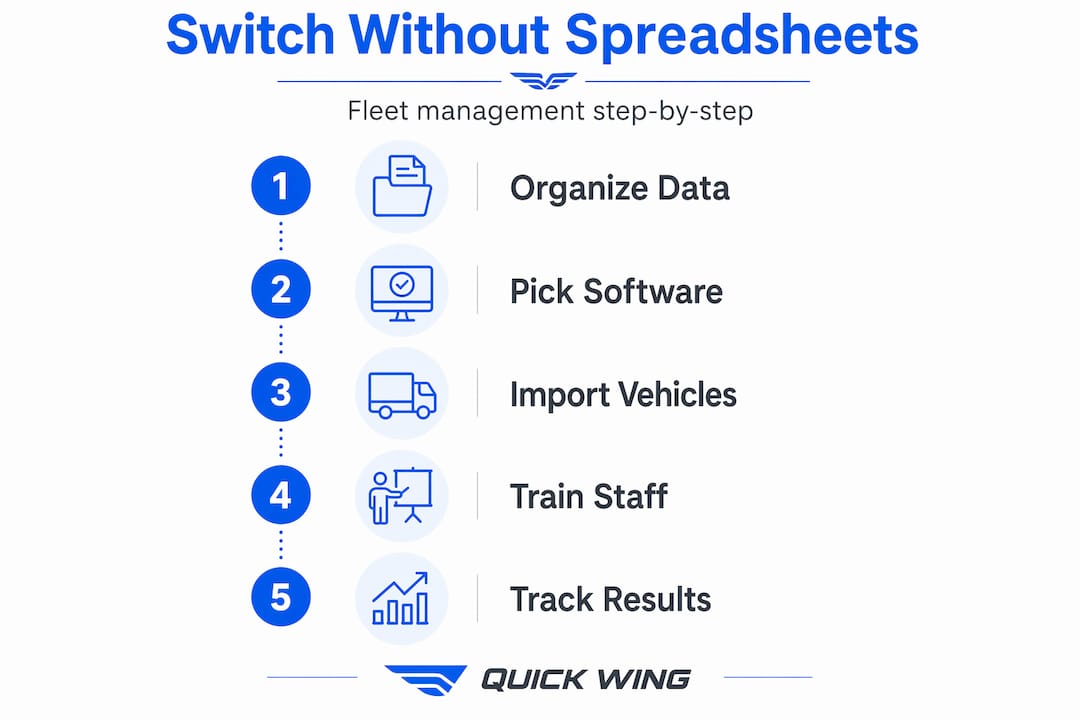
Step-by-step transition process:
- Audit your current data. Go through your spreadsheets and identify what's accurate, what's outdated, and what's missing. Fix the obvious gaps before importing anything.
- Choose your platform. Use the evaluation criteria above. Sign up for a trial and run a test import with a small subset of your fleet data.
- Set up your vehicle profiles. Enter each vehicle with its full details, compliance dates, and maintenance schedule. Most platforms walk you through this with templates.
- Configure maintenance and compliance alerts. Set up automated reminders for upcoming services, license renewals, and inspection deadlines. This is where you immediately start recovering time.
- Onboard your drivers. Show drivers how to use the mobile app for bookings, mileage logging, and any required inspection checks. Keep the training short and practical.
- Run parallel systems for two weeks. Keep your spreadsheet updated alongside the new system for a short overlap period. This catches any gaps in your data and builds team confidence.
- Go fully digital. Once the team is comfortable and the data looks clean, retire the spreadsheet. Don't keep it as a backup. It creates confusion.
| Stage | Manual (spreadsheet) | Digital system |
|---|---|---|
| Vehicle booking | Phone calls, WhatsApp, manual entry | Self-service booking with real-time availability |
| Maintenance tracking | Calendar reminders, manual checks | Automated alerts, full service history |
| Compliance documents | Folders, email threads | Centralized, searchable, with expiry alerts |
| Driver communication | Group chats, calls | In-app notifications and assignments |
| Reporting | Manual data pulls, formatting | Instant reports on demand |
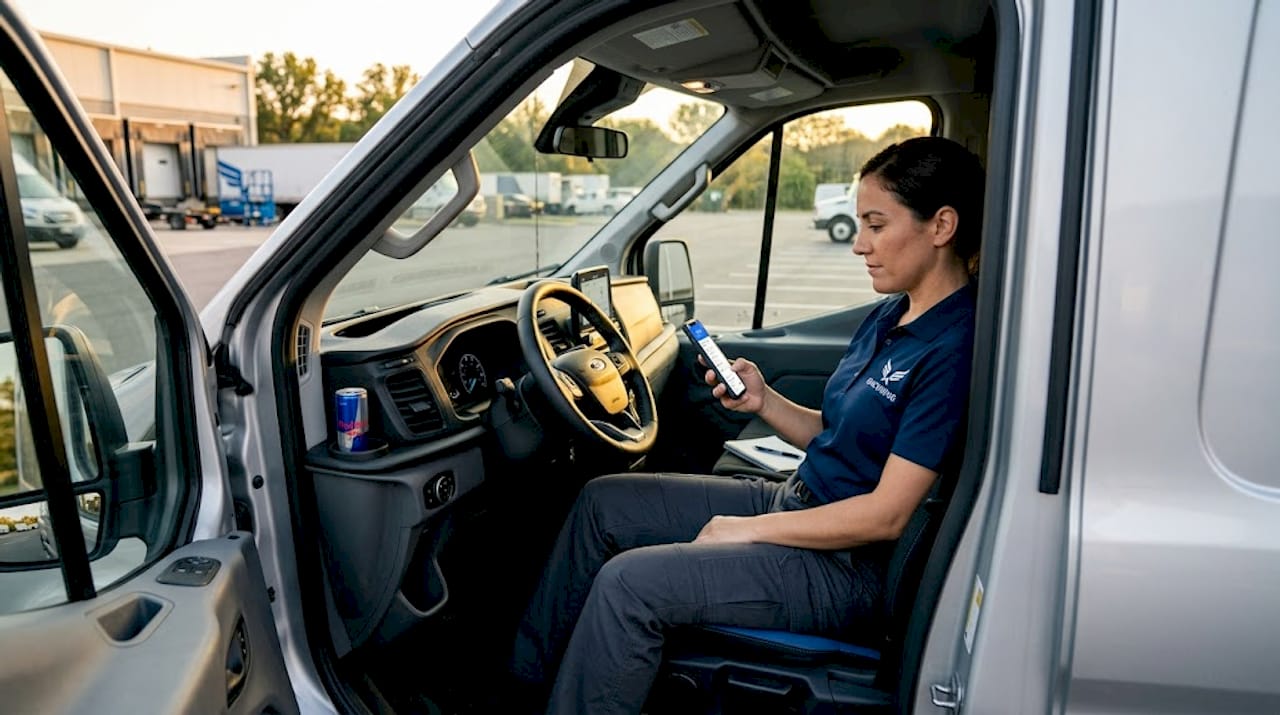
For home care and delivery fleets, mobile access for field staff is the most critical feature to prioritize. Drivers and care workers need to log mileage, confirm vehicle checks, and access their assignments from their phones. A system that requires desktop access to complete basic tasks will be abandoned quickly.
Pro Tip: The most common mistake during a fleet software switch is importing dirty data. Duplicate vehicle entries, inconsistent date formats, and missing VINs will cause errors that take days to untangle. Spend an extra day cleaning your spreadsheet before the import. It saves a week of troubleshooting.
Use the fleet management features checklist to confirm your chosen platform covers your specific operational needs before you commit to a full rollout.
Troubleshooting and measuring success
The switch is done. Now how do you know it's actually working?
Common transition issues and how to fix them:
- Data import errors: Usually caused by formatting inconsistencies in your CSV. Check date formats and remove special characters before re-importing.
- Alert fatigue: If drivers are getting too many notifications, they'll start ignoring all of them. Audit your alert settings and remove anything that isn't genuinely actionable.
- Compliance gaps: If some vehicles are missing documentation in the new system, assign a team member to verify and upload outstanding records within the first two weeks.
- Staff resistance: Usually comes from unfamiliarity, not unwillingness. Short, role-specific training sessions work better than long group demos.
Measuring whether the system is delivering results is straightforward if you set benchmarks before you switch. Track these numbers in the first 90 days:
- Hours per week spent on fleet admin (target: down by 3 hours)
- Number of missed preventive maintenance events (target: 25 to 30 percent reduction based on industry benchmarks)
- Vehicle downtime incidents and their causes
- Number of compliance documents expired or missing
"If your team is still calling each other to find out which vehicle is available, the system isn't being used. Adoption is the real metric."
Clear signs the transition is working:
- Managers stop getting calls asking about vehicle availability
- Maintenance is completed on schedule rather than reactively
- Compliance audits take minutes instead of hours
- Drivers are completing vehicle checks through the app without prompting
- Downtime incidents drop noticeably within 60 days
Check your fleet management software pricing against the time and cost savings you're tracking. In most cases, the ROI becomes obvious within the first quarter.
Why digital fleet management isn't just about automation
Here's something most guides won't tell you: the software is the easy part. The hard part is getting your team to actually use it consistently, and that's entirely a people problem, not a technology problem.
We've seen businesses invest in solid fleet management platforms and then continue running half their operation through WhatsApp because "it's just quicker." The tool becomes shelfware, and the spreadsheet creeps back in through the side door. The technology didn't fail. The process did.
The businesses that see the biggest gains from digital fleet management are the ones that treat the switch as a process redesign, not just a software installation. They define who is responsible for what, when updates need to happen, and what happens when someone doesn't follow the process. The software enforces accountability, but only if the accountability structure exists in the first place.
Chasing every feature is also a trap. It's tempting to evaluate tools based on the longest feature list, but the fleets that improve fastest are the ones that solve their two or three biggest pain points first and build from there. If your core problem is missed maintenance and double-booked vehicles, start there. Don't get distracted by advanced telematics dashboards you won't use for another year.
The fleet management features that matter most are the ones your team will actually use every day. Simple, consistent use of a focused tool beats sporadic use of a complex one every time.
Start simple. Get the team using it. Then iterate. That's the pattern that works.
Ready to leave spreadsheets behind? See what Quick Wing offers
Managing a fleet shouldn't mean managing a mountain of spreadsheets, WhatsApp threads, and calendar reminders. Quick Wing was built by people who understand what daily fleet operations actually look like, and it's designed to give you clear visibility over your vehicles, bookings, and compliance without the admin overhead.
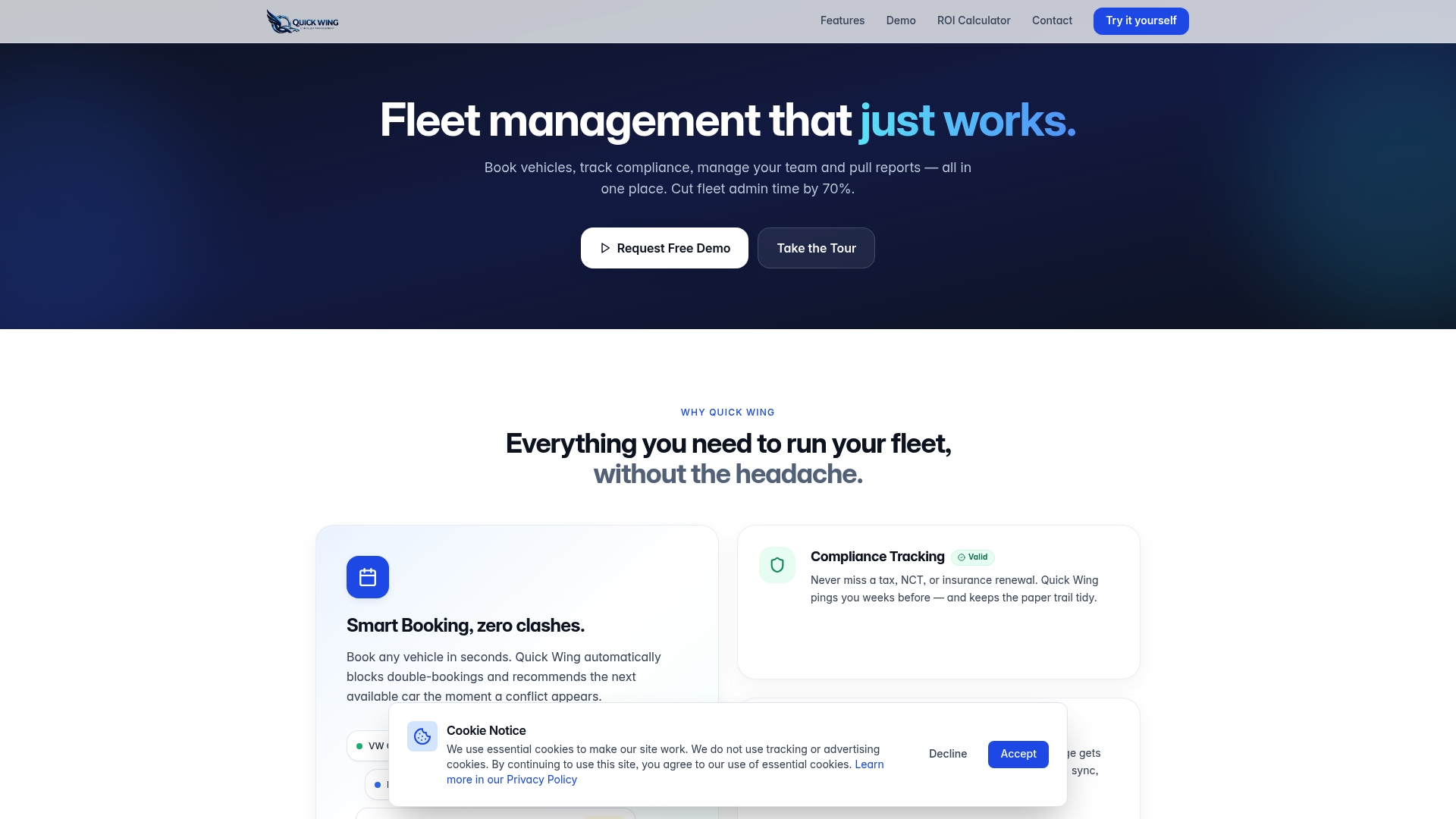
Whether you're running a home care fleet, a service team, or a delivery operation, Quick Wing gives you a single place to see what's booked, what's available, and what needs attention. Check out the fleet management features to see exactly what's included, review fleet management pricing to find the right plan for your fleet size, or contact Quick Wing to talk through your specific setup. Getting started takes less time than fixing your next spreadsheet error.
Frequently asked questions
How much time can I save switching to digital fleet management?
On average, fleets save about 3 hours per week after moving away from spreadsheets, primarily through automated maintenance alerts and real-time vehicle availability tracking.
Does digital fleet management lower vehicle downtime costs?
Yes. Digital systems help prevent downtime losses of $448 to $760 per vehicle per day by catching maintenance issues before they cause breakdowns.
What is the typical cost per mile in 2026 for fleet vehicles?
Fleet industry data shows an average cost-per-mile of $2.26 in 2026, making it essential to eliminate preventable costs like missed maintenance and unplanned downtime.
What tools do small home care and delivery fleets need?
Look for cloud fleet software with mobile app access, route planning, and compliance features. Forbes-recommended options for small fleets include tools like Fleetio, Upper, and REACH24, depending on your primary operational needs.
What are the first steps to import my fleet data from spreadsheets?
Export your key fleet data into CSV format, clean up any formatting inconsistencies, and use your new platform's import tool to upload vehicle records, maintenance schedules, and compliance dates in one batch.